AI hairstyle changer — try looks before you cut
Explore new hairstyles on your photo with Outfit Me AI Edit. Compare styles quickly, then keep shopping outfits with AI virtual try-on in the same app.
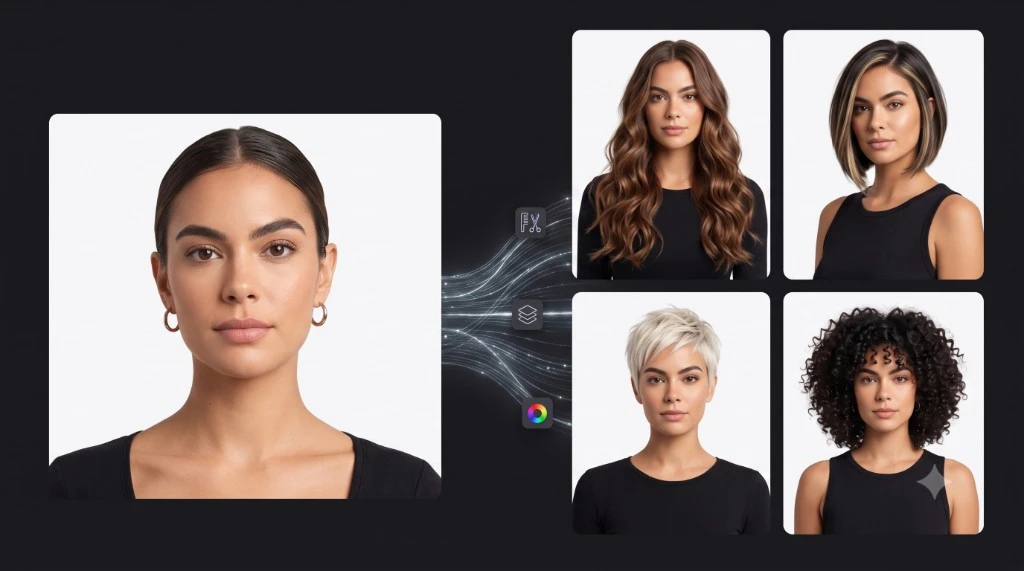
See a new hairstyle on you first
Changing your hair is a commitment. Outfit Me’s AI hairstyle tools help you preview styles on your own photo so you can decide with more confidence—whether you’re exploring a trim, a longer look, or a fresh vibe for an event.
How it works
- Open Outfit Me and go to AI Edit.
- Choose a hairstyle look to try.
- Generate a preview on your photo.
- Save or share your favorite results.
Part of a full style toolkit
Hairstyles pair with AI photo templates and clothing try-on, so you can build a complete look—outfit plus hair—before a wedding, festival, or everyday refresh.
FAQ
How does the AI hairstyle changer work?
Choose a hairstyle look in AI Edit and generate a preview on your photo to compare styles.
Is it separate from virtual try-on?
No—hairstyles live in AI Edit inside Outfit Me, alongside clothing virtual try-on and photo templates.